How to Find Someone on Instagram Without Their Username (2026 Guide)
How to find someone on Instagram without their username. Use AI facial recognition to search Instagram accounts by photo — find any Instagram user from a screenshot or saved photo in seconds.
Posted by
 Luka Tim
Related reading
How to Find Someone on TikTok by Photo Without Username (2026)
How to find someone on TikTok without their username. Use AI facial recognition to search TikTok accounts by photo — find any TikTok user from a screenshot, saved image, or photo in seconds.
How to Find Someone on OnlyFans — Find Out If Someone Has an OnlyFans (2026)
How to find someone on OnlyFans by photo. Find out if someone has an OnlyFans account using AI facial recognition — scans promotional profiles across 3,000+ platforms to reveal hidden OnlyFans accounts.
How to Find Someone on Facebook by Photo (2026)
How to find someone on Facebook with just a photo. Use AI face recognition to search Facebook profiles — find old friends, verify identities, and reconnect without knowing their name.
Can You Really Find Someone on Instagram Using Just a Photo?
Instagram has over 2 billion monthly active users, making it the world's most popular photo-sharing platform. Whether you spotted someone at a coffee shop, received a photo from a friend, or want to verify a dating app match's identity, finding a specific person on Instagram when you don't know their username feels impossible. Instagram's search only works with usernames, names, or hashtags — there's no way to search by face. But with AI-powered facial recognition, you can upload any photo and find matching Instagram profiles in seconds, even when the person uses a completely different name online.
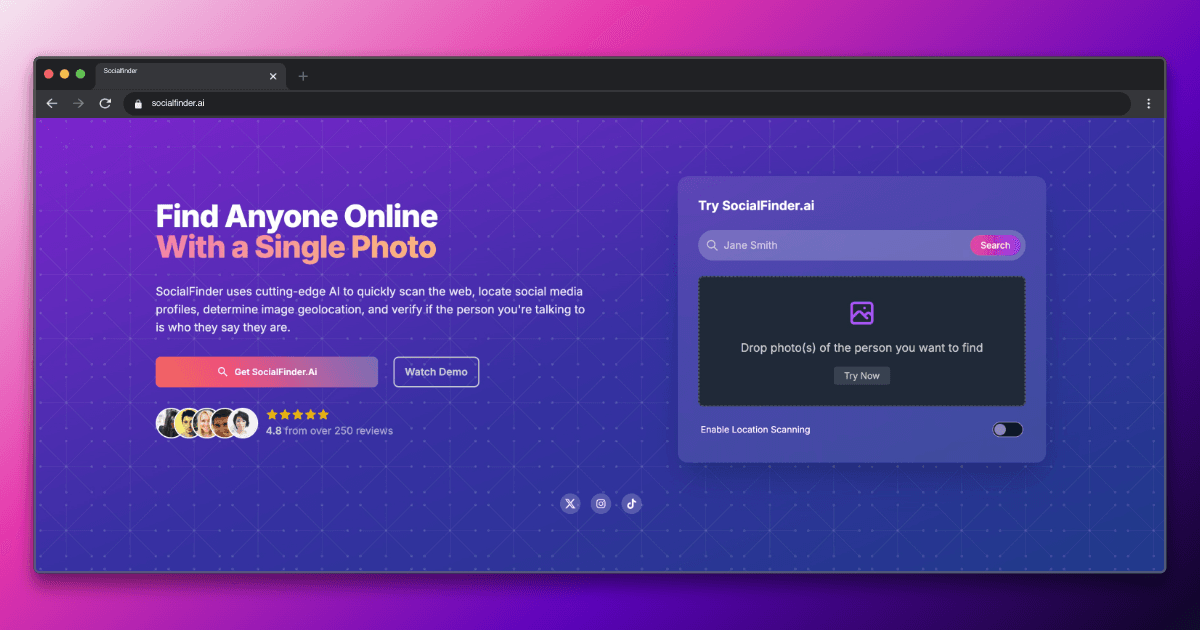
The short answer is yes—with the right tools. While Instagram doesn't offer a built-in reverse image search, AI-powered facial recognition tools like SocialFinder.ai can match a face in a photo to Instagram profiles and accounts across 3,000+ platforms.
Why Finding Someone on Instagram by Photo Is Challenging
Instagram's search bar is designed for discovering accounts you already know about — you need a username, real name, or hashtag to find someone. If a person uses a pseudonym, nickname, or stage name, traditional search fails completely. Private accounts are even harder since their content doesn't appear in explore or search results. Many users have multiple accounts (finsta, business, personal) under different names. Google reverse image search rarely helps because Instagram photos are heavily cropped, filtered, and compressed, making pixel-matching unreliable. And with 2 billion users, manually scrolling through followers lists or location tags is a needle-in-a-haystack problem.
Traditional reverse image search tools like Google Lens or TinEye look for identical images, not faces. They fail when the person uses different photos across platforms. Facial recognition search, on the other hand, analyzes the unique geometry of someone's face and matches it regardless of lighting, angle, or background.
Step-by-Step: How to Find Someone on Instagram by Photo
Step 1: Upload a Clear Photo of the Person
Start with the clearest photo you have of the person's face. This can be a photo you took, a screenshot from another app, a dating profile picture, or even a cropped group photo. Make sure the face is well-lit, front-facing, and fills a good portion of the frame. Upload this image to SocialFinder.ai's Instagram finder tool.
Step 2: Let AI Scan Instagram and 3,000+ Platforms
SocialFinder's facial recognition analyzes the unique geometry of the face — eye spacing, jawline contours, nose shape — and compares it against profile photos across Instagram and 3,000+ other platforms. This works even when the person uses different photos, filters, or lighting on Instagram versus where you originally saw them.
Step 3: Review Instagram-Specific Matches
When matches are found, you'll see Instagram profile links, display names, bios, and profile photo comparisons. Check if the account is public or private, look at their bio for verification clues (linked websites, other social handles), and compare their recent posts to confirm identity.
Step 4: Verify Through Cross-Platform Matches
SocialFinder often finds the same person across multiple platforms — their Instagram, TikTok, Facebook, and Twitter accounts. Cross-referencing these profiles provides strong confirmation. Look for consistent details: same city in bios, similar usernames, linked accounts, or matching photos across platforms.
Try SocialFinder.ai Now
Upload a photo and see how our AI facial recognition finds social media profiles in seconds.
Try It Now
Upload a photo and see how SocialFinder.ai works in seconds
> Upload a Face. Find Their Accounts.
Drop a photo. Get answers in seconds.
or click to browse files
Tips for Better Results on Instagram
- Use the highest quality photo available. Instagram profile pictures are small (320x320), so the AI needs a clear source image to match against these compressed thumbnails.
- If you have multiple photos of the person, try uploading each one separately. Different angles and lighting conditions can produce different matches and improve overall accuracy.
- Check the person's Instagram bio for linked accounts (TikTok, Twitter, YouTube). Even if the Instagram profile is private, their linked accounts may be public and provide the confirmation you need.
- Look at tagged photos and location tags on public profiles. Even if someone's main posts don't show their face clearly, tagged photos from friends often provide clearer face images.
- If the person has a common name, use SocialFinder's face match to narrow down which 'John Smith' is the right one — facial recognition cuts through name ambiguity instantly.
You can also try find hidden social media accounts or find TikTok profiles for broader search results.
Limitations to Keep in Mind
Private Instagram accounts restrict access to their posts, stories, and follower lists. While the profile picture and display name are still visible for matching, you won't be able to see their content without following them. Accounts with no face in their profile picture (logos, pets, landscapes) are harder to match directly, though SocialFinder may find the person on other platforms where they do use a face photo. Heavy use of Instagram filters, especially face-altering AR filters, can reduce matching accuracy.
No facial recognition tool is 100% accurate. Results depend on photo quality, whether the person has publicly visible photos on Instagram, and how recently their profile was indexed.
Legal and Ethical Considerations
Reverse face search tools are powerful, and with that power comes responsibility. Always use these tools ethically and legally:
- Verify, don't stalk. Use face search to confirm someone's identity or protect yourself from scams, not to harass or intimidate.
- Respect privacy. Just because you can find someone's Instagram profile doesn't mean you should contact them uninvited.
- Know your local laws. Some jurisdictions have specific regulations around facial recognition technology.
Instagram is widely used by minors. Never use face search tools to find or contact people under 18. Respect private account settings — being able to find someone's profile doesn't entitle you to demand access to their private content. Use these tools for legitimate purposes: verifying identities, reconnecting with lost contacts, or protecting yourself from catfish and scams.
Frequently Asked Questions
Can I find someone's Instagram without knowing their username?
Yes. SocialFinder.ai lets you find someone on Instagram without their username or email. Just upload a photo of their face and our AI will search Instagram's 2 billion+ profiles using facial recognition to find matching accounts — even if they use a completely different name.
How do I find someone on Instagram with just a photo?
Upload the photo to SocialFinder.ai. Our AI analyzes the face and compares it against Instagram profile pictures and photos across 3,000+ platforms. You'll get results in under 60 seconds showing any matching Instagram accounts, along with profiles on other social networks.
Does this work if the Instagram account is private?
Partially. Even private Instagram accounts have a publicly visible profile picture and display name. If the profile picture contains a clear face, SocialFinder can match it. However, you won't be able to see their posts or stories without following them. The tool may also find the same person on other platforms where their account is public.
Can I find someone's Instagram from their TikTok or dating app photo?
Absolutely. SocialFinder's facial recognition works across platforms. Upload any clear photo of the person — from TikTok, Tinder, Bumble, a text message, or even a photo you took in person — and the AI will search Instagram and 3,000+ other platforms for matching faces.
Start Your Search Now
Finding someone on Instagram by photo doesn't have to be complicated. With SocialFinder.ai, you can upload a photo and get results in under a minute. Our AI scans Instagram and 3,000+ other platforms to find matching profiles.
Try SocialFinder.ai now — upload a photo and see who you find on Instagram.
Try SocialFinder.ai Now
Upload a photo and see how our AI facial recognition finds social media profiles in seconds.
Try It Now
Upload a photo and see how SocialFinder.ai works in seconds
> Upload a Face. Find Their Accounts.
Drop a photo. Get answers in seconds.
or click to browse files
Try SocialFinder.ai Tools
Put what you've learned into action with SocialFinder.ai's powerful search tools. Start finding people, verifying identities, and uncovering social media profiles in seconds.
Find Someone from a Photo →
Upload a photo to find anyone's social media profiles instantly
AI Reverse Image Search →
Advanced AI-powered face recognition and reverse image search
Find Instagram User →
Discover Instagram profiles using facial recognition technology
Find Someone Online →
Search across social media platforms to find anyone online
AI People Search →
Smart AI-powered people search across the entire web
Track Social Media Account →
Monitor and track social media profiles and activity
Find TikTok User →
Locate TikTok profiles using photos and facial recognition
Find Secret Social Accounts →
Uncover hidden and secret social media accounts