How to Find Someone on YouTube by Photo (2026 Guide)
Find a YouTuber or someone from a YouTube video using just a photo. AI face search identifies creators, matches thumbnails, and finds channels across platforms in 2026.
Posted by
 Luka Tim
Related reading
How to Find Someone on Instagram Without Their Username (2026 Guide)
How to find someone on Instagram without their username. Use AI facial recognition to search Instagram accounts by photo — find any Instagram user from a screenshot or saved photo in seconds.
How to Find Someone on TikTok by Photo Without Username (2026)
How to find someone on TikTok without their username. Use AI facial recognition to search TikTok accounts by photo — find any TikTok user from a screenshot, saved image, or photo in seconds.
How to Find Someone on OnlyFans — Find Out If Someone Has an OnlyFans (2026)
How to find someone on OnlyFans by photo. Find out if someone has an OnlyFans account using AI facial recognition — scans promotional profiles across 3,000+ platforms to reveal hidden OnlyFans accounts.
Can You Really Find Someone on YouTube Using Just a Photo?
YouTube is the world's second-largest search engine and the dominant video platform, with over 2 billion logged-in users each month. With so much content, it is surprisingly common to see someone in a video, a thumbnail, or a clip shared on social media and want to find out who they are or what channel they run. Maybe you watched a helpful tutorial but forgot to subscribe, saw a face in a compilation video, or received a screenshot of a YouTuber you cannot identify. YouTube's own search works by keywords and titles, not by faces, making photo-based search the most effective approach.
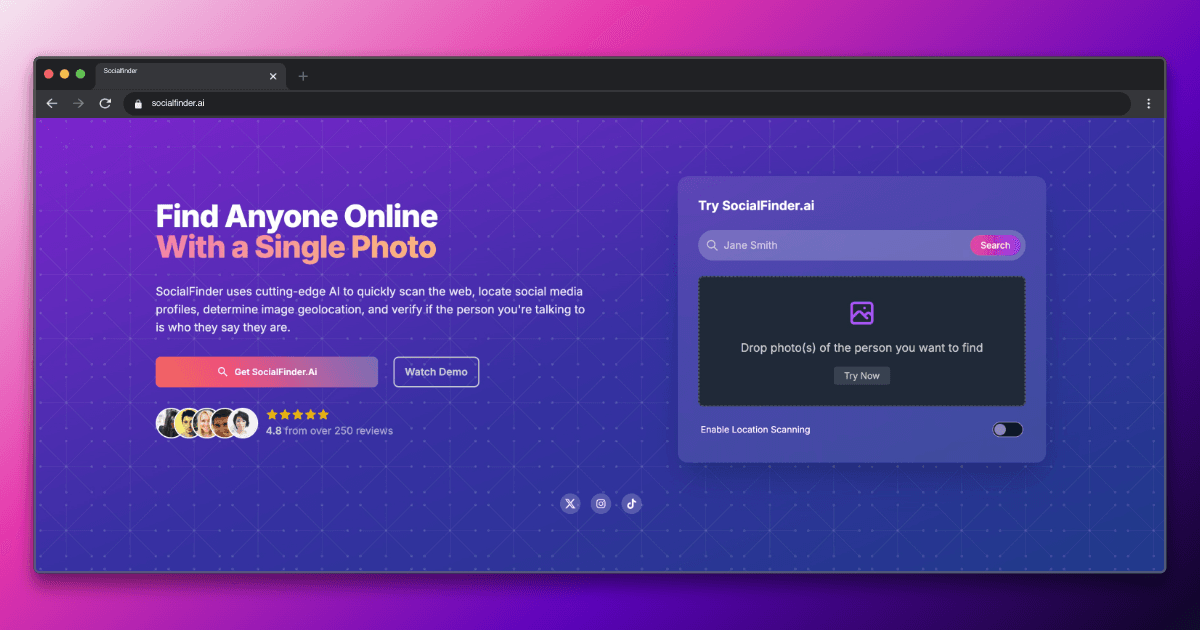
The short answer is yes—with the right tools. While YouTube doesn't offer a built-in reverse image search, AI-powered facial recognition tools like SocialFinder.ai can match a face in a photo to YouTube profiles and accounts across 3,000+ platforms.
Why Finding Someone on YouTube by Photo Is Challenging
YouTube presents unique challenges for facial recognition searches. The platform hosts billions of videos, and many creators use highly stylized thumbnails with exaggerated expressions, heavy text overlays, and dramatic editing that can look very different from their actual appearance. Many channels use logos, animated characters, or brand imagery as their profile picture instead of a real face. Smaller creators may appear in very few videos, and some larger creators have changed their appearance significantly over the years. Additionally, people who appear in YouTube videos as guests, interviewees, or background participants may have no YouTube channel of their own.
Traditional reverse image search tools like Google Lens or TinEye look for identical images, not faces. They fail when the person uses different photos across platforms. Facial recognition search, on the other hand, analyzes the unique geometry of someone's face and matches it regardless of lighting, angle, or background.
Step-by-Step: How to Find Someone on YouTube by Photo
Step 1: Capture a Clear Frame of the Person's Face
If you are searching from a video, pause at a moment where the person's face is clearly visible, front-facing, and well-lit, then take a screenshot. Do not use the video thumbnail, as thumbnails are often heavily edited with text overlays, zoom effects, and exaggerated expressions. A natural frame from within the actual video content will produce far better AI matching results.
Step 2: Upload the Screenshot to AI-Powered Face Search
Upload the screenshot to SocialFinder.ai. The facial recognition AI will analyze the person's facial features and search for matching faces across YouTube channel photos, social media profiles, professional platforms, and other public sources. The system can identify someone even if they look different in photos on other platforms versus their video appearance.
Step 3: Browse Results to Identify the Creator or Individual
Review the search results for matches across platforms. You may find their YouTube channel, Instagram, Twitter, TikTok, personal website, or professional profiles. For YouTubers, cross-platform matches are especially common since most creators actively maintain presences on multiple social media platforms to grow their audience.
Step 4: Confirm the Match Using Channel and Profile Details
Verify the results by comparing information across matched profiles. Check if the YouTube channel name matches their social media handles. Look at their About page for linked social accounts. Confirm that the content topics, posting style, and biographical details are consistent across platforms. For non-creators who simply appeared in a video, matched social profiles can help identify them even if they have no YouTube channel.
Try SocialFinder.ai Now
Upload a photo and see how our AI facial recognition finds social media profiles in seconds.
Try It Now
Upload a photo and see how SocialFinder.ai works in seconds
> Upload a Face. Find Their Accounts.
Drop a photo. Get answers in seconds.
or click to browse files
Tips for Better Results on YouTube
- Always use a clear frame from the actual video rather than the thumbnail. YouTube thumbnails are designed to maximize clicks and often feature exaggerated facial expressions, dramatic lighting, filters, and text overlays that interfere with facial recognition accuracy.
- Check the YouTube channel's About page for linked social media accounts. Most creators list their Instagram, Twitter, TikTok, website, and business email. If the About page is available, it can instantly confirm the identity of the person you found through face search.
- The channel banner image sometimes contains additional information such as a secondary face photo, social media handles, a tagline, or a website URL. Creators often design their banner to promote their brand across platforms, making it a useful source of identifying details.
- Explore the Community tab on the YouTube channel if it exists. Creators sometimes post personal photos, behind-the-scenes content, and selfies in Community posts that show their face more naturally than polished video thumbnails, providing additional images for verification.
- If the person you are looking for appeared in a collaboration video, check the video description for guest credits, tagged channels, and social media links. YouTube creators almost always credit their collaborators, which can lead you directly to the person's own channel or social profiles.
You can also try find someone from a photo or AI people search for broader search results.
Limitations to Keep in Mind
Many YouTube channels use logos, brand imagery, or illustrated avatars as their channel profile picture rather than a real photo of the creator's face, making face matching against the channel profile itself impossible in those cases. Brand or company channels may not have any individual person associated with them. Inactive or abandoned YouTube channels may have outdated photos that no longer reflect the person's current appearance. Additionally, people who appear in YouTube videos as minor participants, interviewees, or in the background may not have any online presence indexed under their own name, making identification more difficult even with accurate face matches.
No facial recognition tool is 100% accurate. Results depend on photo quality, whether the person has publicly visible photos on YouTube, and how recently their profile was indexed.
Legal and Ethical Considerations
Reverse face search tools are powerful, and with that power comes responsibility. Always use these tools ethically and legally:
- Verify, don't stalk. Use face search to confirm someone's identity or protect yourself from scams, not to harass or intimidate.
- Respect privacy. Just because you can find someone's YouTube profile doesn't mean you should contact them uninvited.
- Know your local laws. Some jurisdictions have specific regulations around facial recognition technology.
YouTube content creators have a reasonable expectation that their publicly posted content may be viewed and shared. However, using face search to identify private individuals who appear in videos without their knowledge or consent raises ethical concerns. Respect content creator privacy regarding personal details not shared on their public channels. Fair use principles generally allow screenshots for personal identification purposes, but do not redistribute or misuse images obtained from YouTube content.
Frequently Asked Questions
Can you find a YouTube channel from a screenshot of someone in a video?
Yes. By taking a clear screenshot of the person's face from the video and running it through an AI face search tool, you can often find their YouTube channel along with their social media profiles. The AI matches the face against indexed profile photos across platforms, not just YouTube. This is especially effective for creators who use their face as their channel profile picture or appear on other social platforms.
Why doesn't YouTube have a face search feature?
YouTube, as a Google product, has deliberately avoided implementing facial recognition search due to privacy concerns and potential misuse. While YouTube can auto-detect faces for features like thumbnail suggestions and video chapters, it does not allow users to search for people by uploading a photo. This policy protects user privacy but also means external tools are the only option for photo-based searches.
Can you identify someone who appeared briefly in a YouTube video?
It depends on the quality of the screenshot you can capture. If you can pause the video at a moment where the person's face is clearly visible, well-lit, and reasonably sharp, AI face search has a good chance of finding matches on other platforms. Very brief appearances, blurry footage, or side-profile shots significantly reduce the likelihood of accurate results.
How do you find a YouTuber when their channel uses a logo instead of a face photo?
When a YouTube channel uses a logo as its profile picture, you cannot match the channel directly through facial recognition. Instead, use a clear face screenshot from one of their actual videos and run it through a face search. The results may match their Instagram, Twitter, or other social profiles where they use a personal photo, which can then lead you back to identifying their YouTube channel.
Start Your Search Now
Finding someone on YouTube by photo doesn't have to be complicated. With SocialFinder.ai, you can upload a photo and get results in under a minute. Our AI scans YouTube and 3,000+ other platforms to find matching profiles.
Try SocialFinder.ai now — upload a photo and see who you find on YouTube.
Try SocialFinder.ai Now
Upload a photo and see how our AI facial recognition finds social media profiles in seconds.
Try It Now
Upload a photo and see how SocialFinder.ai works in seconds
> Upload a Face. Find Their Accounts.
Drop a photo. Get answers in seconds.
or click to browse files
Try SocialFinder.ai Tools
Put what you've learned into action with SocialFinder.ai's powerful search tools. Start finding people, verifying identities, and uncovering social media profiles in seconds.
Find Someone from a Photo →
Upload a photo to find anyone's social media profiles instantly
AI Reverse Image Search →
Advanced AI-powered face recognition and reverse image search
Find Instagram User →
Discover Instagram profiles using facial recognition technology
Find Someone Online →
Search across social media platforms to find anyone online
AI People Search →
Smart AI-powered people search across the entire web
Track Social Media Account →
Monitor and track social media profiles and activity
Find TikTok User →
Locate TikTok profiles using photos and facial recognition
Find Secret Social Accounts →
Uncover hidden and secret social media accounts